
Searching Cases by Name
Washington Courts offers both a general Case Search and a separate Person Search. Start by selecting the court level. Choose Jefferson County Superior Court for general-jurisdiction cases. Choose District and Municipal Courts, then JEFFERSON DISTRICT COURT, for limited-jurisdiction and Port Townsend municipal matters. Name results can include different people with similar spellings, so compare the court, role, case type, and filing year.
- Open Washington Courts Case Search and accept its access terms.
- Select Superior, District and Municipal, or appellate court level before entering a name.
- Choose the Jefferson court and the likely case type. Use Business Name for an entity.
- Review possible matches, then verify the official record with the filing court.
| Field Label | Type | Required | Notes |
|---|---|---|---|
| First Name | Text | Yes in Person Search | Check initials and variants. |
| Last Name | Text | Yes in Person Search | Spelling does not prove identity. |
| Court and Case Type | Dropdown | Yes for a focused search | Superior and District menus differ. |
| Year | Dropdown | Depends on search | Use the filing year when known. |
Jefferson Case Search Court Levels
The court level is the most important filter. Superior Court holds felony, broad civil, domestic, probate, guardianship, juvenile, and other general-jurisdiction matters. District Court holds infractions, misdemeanors, preliminary felony proceedings, limited civil cases, small claims, name changes, and many protection matters. It also administers Port Townsend municipal cases by contract.
The official case-search form shows the level, court, search-type, case-type, and year controls.
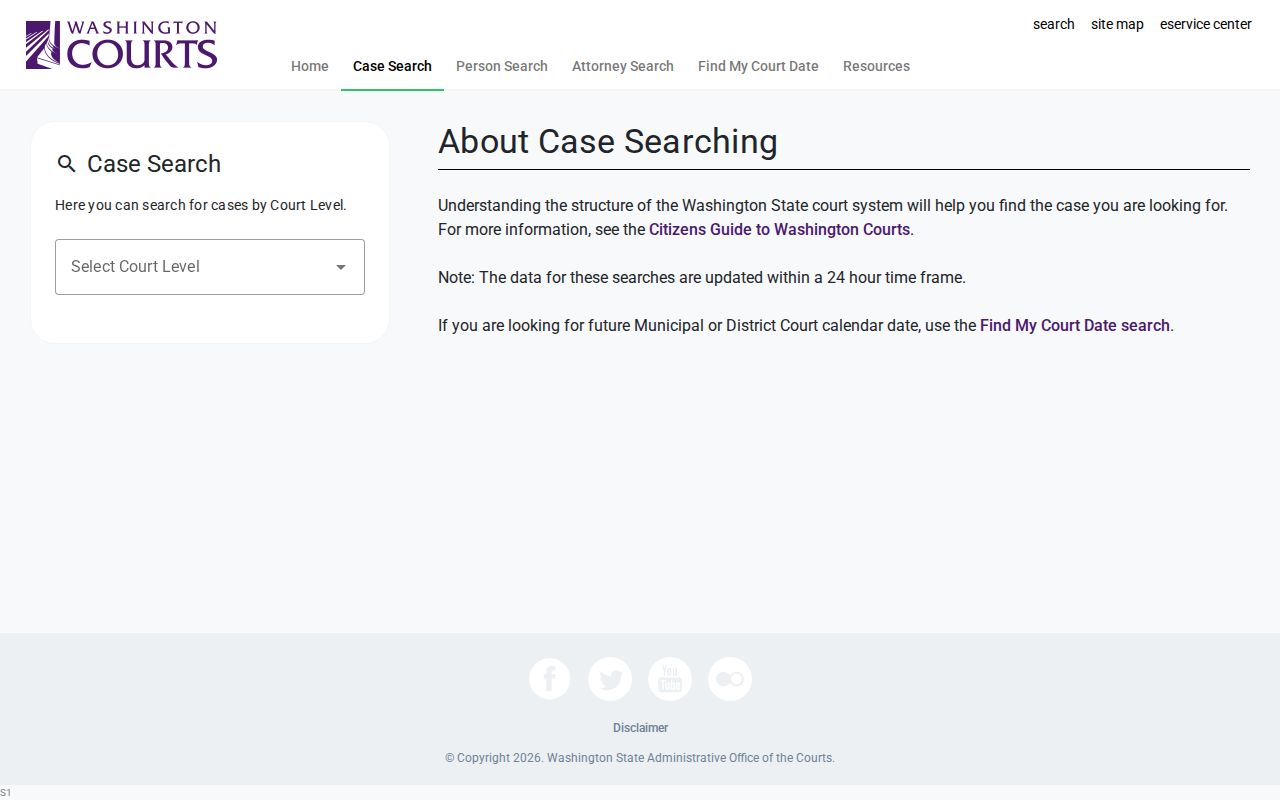
The screen makes the routing choice visible. A blank result under one court does not rule out a matter filed at the other level.
Searching by Case Number
A cause or case number is more precise than a name. Enter it as printed on the notice, order, citation, or Clerk record, then confirm that the result names the correct Jefferson County court. Washington sources did not provide a single safe Jefferson format to reconstruct, so follow the rule exact printed cause number without guessing missing digits or a type code.
Digital Archives also supports Case Number search for Superior Court documents. If punctuation fails in one official interface, compare the help text or ask the Clerk instead of altering the substance of the number. Older files and a current case can also follow different document routes even when the number is valid.
Keep the court name with the number when saving or sharing a reference. Similar-looking numbers can exist in separate systems. A District Court record request can include the defendant, petitioner, or respondent name, the number, charge or hearing type, hearing date, and exact documents sought. Those details help staff locate the correct file without a broad search.
Jefferson Person Search Limits
The statewide Person Search requires first and last name and provides a middle-name area. It can help when the court level or cause number is unknown, but the state expressly disclaims identity accuracy. Treat every hit as a lead to a case record, not as proof that the person found is the person intended.
The official blank Person Search displays the required fields without private results.
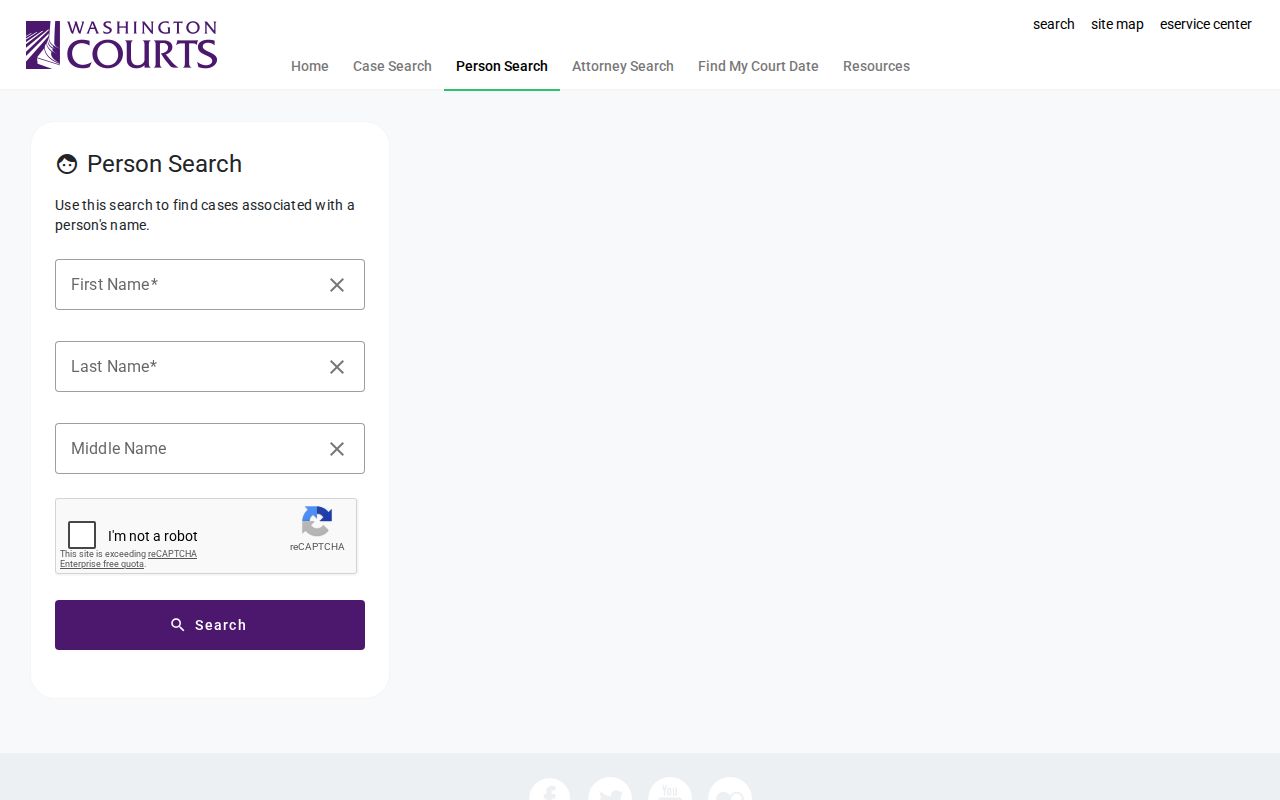
Try a known spelling, middle initial, court, and year. Then compare party role and case type before seeking the official file.
What a Case Search Returns
Washington search output may provide index data, a summary, calendar information, and case activities. Case activities are dated procedural entries. They are not the underlying complaint, motion, order, exhibit, or recording. Exact fields vary by court and portal, so the values below describe the verified inventory rather than promising that every Jefferson County result shows every row.
| Case Number | The court's identifier for the proceeding. |
|---|---|
| Style / Parties | The caption and roles, subject to privacy limits. |
| Case Type | The category chosen by the court, not a reader's inference. |
| Filed Date | The date the matter began or an entry was filed. |
| Status | A system label that must be checked against the official record. |
Jefferson Search Tools Compared
The statewide landing page separates Case Search, Person Search, Attorney Search, and Find My Court Date. The tools answer different questions. Case Search finds general index data. Person Search begins with a name. Attorney Search finds proceedings tied to a bar number and date range. Find My Court Date is the real-time District and municipal calendar route.
The Washington Courts search landing page displays those distinct tabs. Selecting the tool by purpose reduces false blanks because a date question and a document question do not belong in the same interface.
Business searches need the same care as person searches. Use the Business Name control in Case Search or a precise Keywords entry in Digital Archives. Try the formal name and a meaningful shortened version, then compare the filing year and case category. An entity name in an index does not disclose every party role or guarantee that each document is public online.
Statewide vs County Case Search
There is no single Jefferson County portal that does every job. The state index spans several court levels, while local and court-specific routes provide calendars or documents. Digital Archives is the best documented online source for many Superior Court public files. Jefferson District Court designates re:SearchWA after its 2026 Enterprise Justice launch, but the public interface could not be fully inspected during research.
| Statewide search | Jefferson-specific route |
|---|---|
| Superior, District, municipal, and appellate index data | Digital Archives for many Superior documents |
| Case summary, calendar, or activity data by tool | re:SearchWA or District request form for lower-court records |
| Best for finding the court and case | Best for obtaining the local document or direct help |
Jefferson Superior Document Search
The Washington State Archives collection supports Case Number or Keywords, separate Case Number and Keywords inputs, and Year From and Year To. A business or party name can be used as a keyword when the cause number is unknown. Spelling and role ambiguity still require Clerk verification.
Jefferson County says public documents in Superior cases begun after January 1, 2010 are generally available there. For older cases, public documents filed after November 2017 may appear. Older, sealed, confidential, certified, or unavailable items go to the Jefferson County Clerk in Room 210, by mail at PO Box 1220, Port Townsend, WA 98368, or by phone at 360-385-9125.
Files may contain complaints, pleadings, orders, decrees, sentences, verdicts, or other public documents. That scope is broader than the result row. A downloaded image is still not a certified copy. Ask the Clerk for certification, older material, or a record that the collection describes but does not display.
A case-search result identifies a proceeding. The Archives or Clerk supplies public documents. Certification always requires the Clerk's process.
Jefferson District Search Transition
District Court moved to Enterprise Justice on June 1, 2026 and identifies re:SearchWA as its online record route. The county encourages registration for document access. Because the interface could not be inspected reliably during research, do not assume exact fields, anonymous access, fees, or downloads. Use the District case-file form or counter when the portal does not answer the request.
Jefferson Attorney Calendar Search
Attorney Search accepts a bar number, a case date-range start, and a number of days from one through 90. It is a schedule aid for proceedings tied to counsel, not a document database. The help text warns that proceedings may be rescheduled and advises calling the court on the morning of the hearing.
The official Attorney Search shows those fields.
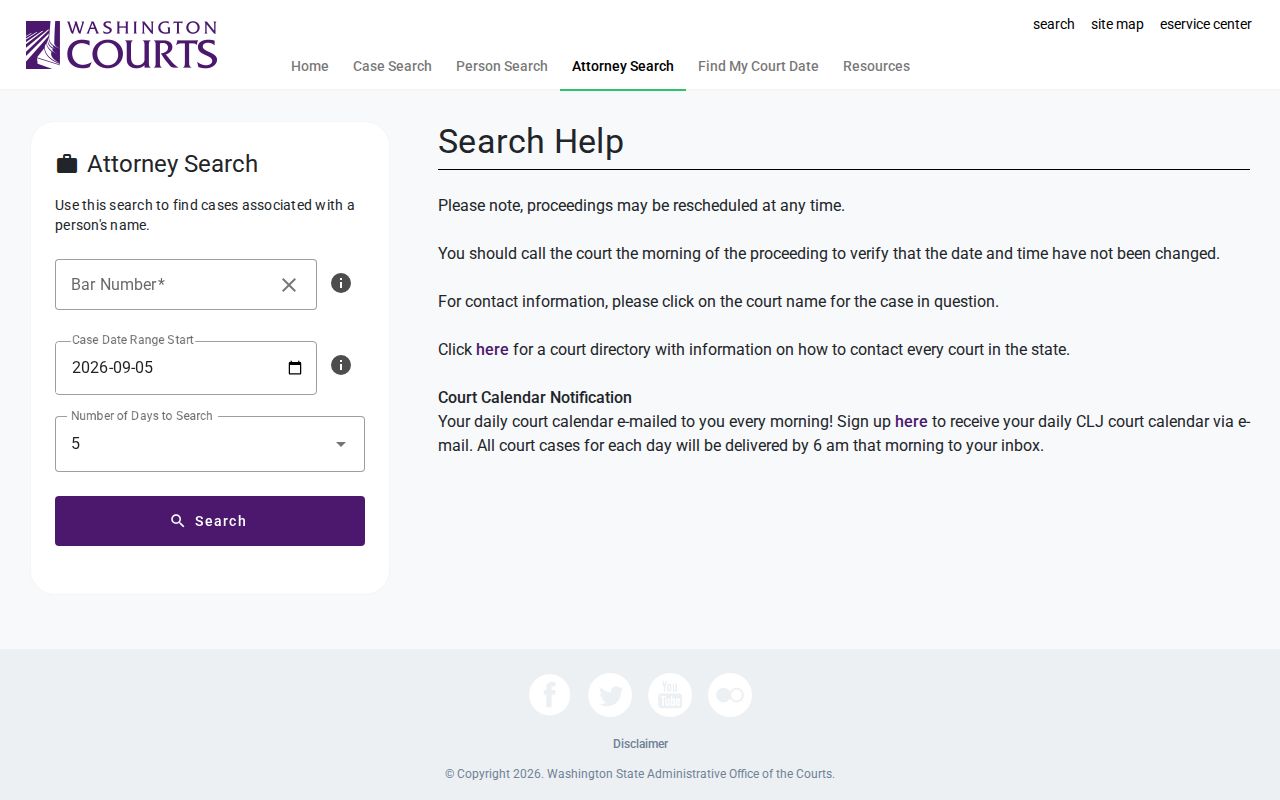
A bar-number result still needs a case-level check. It can change before the scheduled proceeding.
Jefferson JIS-Link Metadata
JIS-Link is a paid, display-only state service covering District, municipal, and Superior Court information. It does not supply case documents. The researched rate was $0.145 per transaction. Jefferson District Court uses code JFD. Check the current service terms before using it, then request any needed file from the proper court.
Jefferson Blank Search Troubleshooting
First confirm the court level. Retry the exact cause number, then a careful person or business name. Adjust the filing year and case type. Decide whether the need is a live hearing date, a case index, or a document. Next try the matching Archives, Odyssey, re:SearchWA, or JIS-Link route. Finally, ask the filing court about lag, restriction, sealing, or an older file. No public result is not proof that no record exists.
Access and Restricted Cases
Public access is broad but qualified. GR 31 covers access to court records, including dockets, calendars, and case-management information. GR 15 governs sealing and redaction. GR 22 protects specified family, guardianship, protection-order, financial, identity, and minor information. Juvenile records also follow RCW chapter 13.50.
Adoption, dependency, mental-competency, sealed, and other restricted material may not appear in Digital Archives or anonymous portal views. A blank result can also stem from the wrong court, year, spelling, lag, or a system problem. Confirm the level, retry the exact case number, check the case type, and contact the filing court. The state search is not the official record and does not guarantee identity, completeness, or current status.
Superior Court help is available from the Clerk at 360-385-9125 during posted weekday hours. District and Port Townsend municipal record help goes to 360-385-9135, the second-floor counter, or the District case-file request. The fuller hearing route appears in the Jefferson County court calendar.